

I was reading this article "The Personality Layer" this morning, it has very good points about UX and I want to share my thoughts with all of you.
We often see UX people making wireframe, talking about user flow, or compiling the tedious functional specification. If we just judge their work by their deliverables, it seems like what they do is not much different than an IA (information architect). However, UX people care much more than information architecture, usability, and interaction design. UX people care about the whole user experience, rational or emotional.
The famous UX related professor Donald Norman published his book Emotional Design: Why We Love (or Hate) Everyday Things, and he mentioned that "New research on emotion and cognition has shown that attractive things really do work better." Positive feeling does help performance in most cases, and we should not limited ourselves as UX people to usability. Button size(which influences the usability according to Fitt's Law), loading speed, and screen transition, these are all part of the user experience. That said, it's our job to stay on top of the whole production process till the end, and try our best to ensure that the user will receive a enjoyable product, rather than a usable but has no intention to use again product (for example, some government website).
Don’t presume anything. Don't presume UX is simple.
I just read the post "UX is simple", and it triggers a lot of thoughts I've been having.
I know lots of places hiring experience visual designers or art directors as their user experience designer. These days some art directors are eager to get the keyword "user experience" in his/her resume, and I'm not surprised more and more art directors are comfortable making this change. However, is user experience only about layout the page in a sensible way?
I think there are reasons that user experience is not simple, even in the "layout the page" level":
1. When you have to review all UI element with all the high level guideline, it's not simple anymore.
2. When you make a change on 1 UI element and it affects 10 others, it's not simple anymore.
If you're a experienced art director, you might be handle these with clever solution. But is that everything about UX?
User experience is much more than putting the provided information in a sensible way. It's much more than show and hide, box and arrow. The first step of UX process is always about identifying; identifying the user (persona and context), identifying the business and technology requirement, identifying the user needs, identifying the pain point... These are the foundation to create good user experience, which is often missing in the project that no one really knows what UX is.
Here's a slideshow I found useful to communicate with people who really want to know what UX is:
http://www.slideshare.net/nickf/user-experience-best-practices
To sum up, design is about solving problem, and the more you know about the problem, the bigger the chance you can create a better solution. User experience design is a big problem solving process, it's not simple, but it really worth it if you really care about your user, your product, and your brand.
I just read the post "UX is simple", and it triggers a lot of thoughts I've been having.
I know lots of places hiring experience visual designers or art directors as their user experience designer. These days some art directors are eager to get the keyword "user experience" in his/her resume, and I'm not surprised more and more art directors are comfortable making this change. However, is user experience only about layout the page in a sensible way?
I think there are reasons that user experience is not simple, even in the "layout the page" level":
1. When you have to review all UI element with all the high level guideline, it's not simple anymore.
2. When you make a change on 1 UI element and it affects 10 others, it's not simple anymore.
If you're a experienced art director, you might be handle these with clever solution. But is that everything about UX?
User experience is much more than putting the provided information in a sensible way. It's much more than show and hide, box and arrow. The first step of UX process is always about identifying; identifying the user (persona and context), identifying the business and technology requirement, identifying the user needs, identifying the pain point... These are the foundation to create good user experience, which is often missing in the project that no one really knows what UX is.
Here's a slideshow I found useful to communicate with people who really want to know what UX is:
http://www.slideshare.net/nickf/user-experience-best-practices
To sum up, design is about solving problem, and the more you know about the problem, the bigger the chance you can create a better solution. User experience design is a big problem solving process, it's not simple, but it really worth it if you really care about your user, your product, and your brand.
|

Many of us UX designers are familiar with "Agile" Development environment, which enable many quick turnovers in the evolution of software/app/web development, to pursue better quality of product. The goal of Agile is somewhat similar to UX design, "test, get feedback, make the product better".
However, in terms of execution, an Agile Development environment can be sometimes hard for an UX professional to fit in and introduce UX process to the development team. Why is it hard? "Time is my greatest enemy." -Evita Peron. Agile Development's fast turnover nature often offers little time for most of the basic UX design process.
One of the essential spirit of Agile Development is "GOOB" - Getting Out of the Building, which means quickly wrap up a product release and send it to the market, to gather user feedback for the next release of the updated product. That said, this "Agile" spirit is embedded in the PM's head, which often leads to a constant urge of creating a short time frame for the next product release. While most of the basic UX research and analysis process, the short time frame gives UX professional a tough challenge to complete the important foundation work.
I recently read the blog post: "Agile UX vs Lean UX – How they’re different and why it matters for UX designers", it proposed this idea of Lean UX which seems to has its value at the first glance. It looks like a compromise between UX and Agile Development, which can be a useful way to convince PM to conduct a little UX process without delaying the expected product launch schedule. However, the compromising UX process which so called Lean UX will probably lose a lot of the essentials of UX value. Moreover, in my eyes, rather than Lean UX, I would rather call this compromised process as "Agile with a bit of UX taste". UX is much more than getting user feedback from using an existing product.
We know a facelift of the product might be able to bring customers a refreshing feeling, but what's hard for to refresh is user's memory, memory of bad user experience toward a product, a service, a brand. Moreover, once the user has bad experience toward a product, s/he might not even come back! F. Scott. Fitzgerald said: "There are no second acts in American lives", The product with poor user experience might not even get that second chance.
In sum, it is our job as UX professionals to advocate the value of UX, especially for our team member who doesn't quite understand why UX research is so important in the early stage (1-10-100 rule is a good reference to begin with ). It is our responsibility to sit down with product owner, project manager, and other main player in management level to adopt UX process early in the road map, and this process should not be defeated merely by the intention of adopting Agile Development.
However, in terms of execution, an Agile Development environment can be sometimes hard for an UX professional to fit in and introduce UX process to the development team. Why is it hard? "Time is my greatest enemy." -Evita Peron. Agile Development's fast turnover nature often offers little time for most of the basic UX design process.
One of the essential spirit of Agile Development is "GOOB" - Getting Out of the Building, which means quickly wrap up a product release and send it to the market, to gather user feedback for the next release of the updated product. That said, this "Agile" spirit is embedded in the PM's head, which often leads to a constant urge of creating a short time frame for the next product release. While most of the basic UX research and analysis process, the short time frame gives UX professional a tough challenge to complete the important foundation work.
I recently read the blog post: "Agile UX vs Lean UX – How they’re different and why it matters for UX designers", it proposed this idea of Lean UX which seems to has its value at the first glance. It looks like a compromise between UX and Agile Development, which can be a useful way to convince PM to conduct a little UX process without delaying the expected product launch schedule. However, the compromising UX process which so called Lean UX will probably lose a lot of the essentials of UX value. Moreover, in my eyes, rather than Lean UX, I would rather call this compromised process as "Agile with a bit of UX taste". UX is much more than getting user feedback from using an existing product.
We know a facelift of the product might be able to bring customers a refreshing feeling, but what's hard for to refresh is user's memory, memory of bad user experience toward a product, a service, a brand. Moreover, once the user has bad experience toward a product, s/he might not even come back! F. Scott. Fitzgerald said: "There are no second acts in American lives", The product with poor user experience might not even get that second chance.
In sum, it is our job as UX professionals to advocate the value of UX, especially for our team member who doesn't quite understand why UX research is so important in the early stage (1-10-100 rule is a good reference to begin with ). It is our responsibility to sit down with product owner, project manager, and other main player in management level to adopt UX process early in the road map, and this process should not be defeated merely by the intention of adopting Agile Development.
|
I once had a chance talked to the interaction team lead in Amazon.com, we talked about redesign of Amazon.com homepage, I think it's a good example of interaction design, so here I'm going to share with you the redesign story.
How I encounter the chance of Redesign
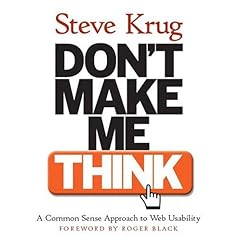
I was reading this book Don't Make Me Think, it's a very good book about user experience design for websites. I found the author of the book, use Amazon.com as examples in many cases, such as bread crumb design, category tags, and etc;
So I became curious about the interaction design on Amazon.com. Coincidentally, Amazon was looking for an user experience expert, I got a phone call from the recruiter from Amazon, then we talked about redesign of Amazon.com homepage.
Amazon.com Homgpage
Amazon.com is actually a clean website, regarding the vast amount of content. I have to say the interaction team did a pretty good job, if you can remember those past versions of it's home page.

If you are a interaction designer/ information architect with many years experience, I bet you can understand how painful it is handling lots of ads banner on a page. What makes it even worse is, when you have to deal with lots of images and text, and you want to differentiate these contents from ad banners, it gets more complicated. Why it's so complicated? Because the ad banners client sometimes doesn't want those ads looks obviously like ad banners, otherwise users might just ignore them and never click on them.
You can see that Amazon.com nowadays use a smart way to differentiate ads and non-ads content: background color. Most of the non-ads content, such as product categories, search column, user account & suggestions, are filled with background color;s and vice versa, most of the ads are plain white background. Usually on a white background webpage, users tend to seek for colorful contents, so this strategy Amazon use is pretty good, user can easily find the most important contents on the homepage.
Redesign Idea
However, it doesn't mean that the home page of Amazon.com is so perfect that nothing can be improved at all. Information architecture wise, the homepage of Amazon.com is well-organized; but it could be better if the designer takes user's individual difference into concern. For example, a 32-year-old sales manager might not be very interested in "New and Used Textbook", while a 15-year-old kid is not so interested in "Shavers from BRAUN".
How can we improve that part? Can we create a customized homepage for different user groups?
... to be continued
How I encounter the chance of Redesign
I was reading this book Don't Make Me Think, it's a very good book about user experience design for websites. I found the author of the book, use Amazon.com as examples in many cases, such as bread crumb design, category tags, and etc;
So I became curious about the interaction design on Amazon.com. Coincidentally, Amazon was looking for an user experience expert, I got a phone call from the recruiter from Amazon, then we talked about redesign of Amazon.com homepage.
Amazon.com Homgpage
Amazon.com is actually a clean website, regarding the vast amount of content. I have to say the interaction team did a pretty good job, if you can remember those past versions of it's home page.

If you are a interaction designer/ information architect with many years experience, I bet you can understand how painful it is handling lots of ads banner on a page. What makes it even worse is, when you have to deal with lots of images and text, and you want to differentiate these contents from ad banners, it gets more complicated. Why it's so complicated? Because the ad banners client sometimes doesn't want those ads looks obviously like ad banners, otherwise users might just ignore them and never click on them.
You can see that Amazon.com nowadays use a smart way to differentiate ads and non-ads content: background color. Most of the non-ads content, such as product categories, search column, user account & suggestions, are filled with background color;s and vice versa, most of the ads are plain white background. Usually on a white background webpage, users tend to seek for colorful contents, so this strategy Amazon use is pretty good, user can easily find the most important contents on the homepage.
Redesign Idea
However, it doesn't mean that the home page of Amazon.com is so perfect that nothing can be improved at all. Information architecture wise, the homepage of Amazon.com is well-organized; but it could be better if the designer takes user's individual difference into concern. For example, a 32-year-old sales manager might not be very interested in "New and Used Textbook", while a 15-year-old kid is not so interested in "Shavers from BRAUN".
How can we improve that part? Can we create a customized homepage for different user groups?
... to be continued
|

Redesign: Image Search of Windows Live Search
Then, Microsoft people asked my opinion about their image search of Windows Live Search page.

I'm a designer, a programmer, and a manager, and also a family member of my sweet Taiwanese family, so for my personal experience, I search images for different purpose.
While people told me that Britney shaved her head bold, I was pretty surprised and I couldn't wait to see her bold head. I used image search to find the picture of her bold move, bold head. For that experience, I just wanna see her head, the image, and pass the image to my friend without download it to my laptop. I was thinking about how I can do it, and found that no image search engine (Google, Yahoo, Windows Live) provide that "quick share" function.

While some other times, I use image search to find pictures that I can use for my blog, to enhance things I wanna explain in my article. Also, sometimes I look for pictures for creating website, design name cards, poster, make banner for my clients. I appreciate that most of the search page provide the size option of search results. However, that seems to be the only kind thing they have.
Windows Live image search now has Black/White option I can choose, but it doesn't really feed my need(even though, it's a good start). Why not gives users more option they can choose? I believe there're tons of people search images for artistic and design usage, but they only have limited choices of function on search page.
I have an idea that, it'd be great if I can manage those image search result on the site like managing my email. I can select them, and download multi images at once, or forward them to my friends, or even do some simple photoshop stuff on the search pages. (If you see some car manufacturer website, they actually provide the select and download interface like, shopping cart.)

To sum up, people use image search for various purpose, and use it in different ways, it'd be great to give people useful options of images handling for better user experience.
Something about accuracy
In fact, I got the experience of having hard time of finding the images that fulfill my need. Why? Because, first of all, it's hard to get the precise keyword to find images that exactly I need. Let's say, I need a pictures showing that people use internet to communicate with each other. What kinds of keyword come to your mind? internet? communicate? If you tried that, I believe you'll get lots of result that doesn't show you what you want. Then, I tried keyword like "internet", "social", and still, I don't get the image that I want.

What's wrong with this image search keyword problem? The problem is, I use the keyword that I'm describing a concept, instead of physical object that can be shown in the image. I used "Social", "Communication", and no one knows what they exactly look like. So, as a designer, how do I tackle this problem? The first answer come to my mind is, give people more detail option to choose, or to fill with, to find the images they really want.
For example, provide a function call "Element". Let people to input the element that shows in images, like People, Action, Item, Place, and etc. Here's what I've got in my mind:

Through the more detail elements showing in images, people can get more precise search result. By showing user those instruction box I design (as above), user might have better idea what they really want to search. You can type in different people's name in the box, and think about the locations, or what they're doing there. For example, I can type Jennifer Lopez into the "people" box, and "Oscar" into the location box, and "dancing" into the action box, I can more likely get the image that I'm looking for.
|

Recently I had a chance to think about the UI design of Windows Live Search, internet search website from Microsoft. I actually talked to people in Microsoft who are in charge of the UI development of Windows Live Search, and they asked me about my opinion of redesign the UI (user interface) of the video and image search page of Live Search. So, I started to work on several concept I have in my mind. Here, I'm gonna share some point of view with you guys (feed back are welcome):

This is how I started: Thinking out of the box. Because interaction design is always about deeper understanding of user and usability, so I thought about several questions:
1) Regardless of the PC or laptop I'm using to do video search, what would be the best way of viewing video? like watching TV, DVD at home? or watch movie in theater with popcorn? What kind of experience is enjoyable when you think about watching video? For me, definitely not like those using iPod, watching [Lost] TV series on subway.
 2) How do people know about a video? from friends? from advertising? or they just meet the new one picked by YouTube's function like related video, or same keyword? More importantly, what specific reason trigger the button that induce a user to start searching video online?
3) How people find online video? Do they use normal search engine? or search on free video content provider like youtube, joost, or Netflix? or pay content provider like MLB tv, iTunes and Amazon?

4) How people interact with online video, other than simply watching it? Do they collect videos like buying DVD in shops? Do they pay for extra services? Do they share video with friends? Do they talk about video with others? Do they use the content of video for any purpose? Can people actually make change to the original content?

After a series of questions, here are the suggestion that I gave to Microsoft:
i. Stronger Video Search
1) Think about different platform that people may use when they browse Live Search website, and design specific page for various platforms, like cellphone, iPod, PSP, car entertaining system, and etc.


2) Tools for social networking: Add more functions that allow people to communicate with. instant chatting, better video sharing, send video as gift, generate social group, location based video search.

3) Hot Filter: create filters that most of the people use. Sometimes when people use google, they type in those keywords that can be seen as filter, for example: [cute cat cartoon video]. You can see that there're some interesting filter that people thought about; video can be seen as type of content, and cute is an important keyword so you don't get a spooky cat barking freaking sound; also the cartoon can be seen as a genre.

As a result, it's important to give what people think of a reasonable filter. By getting back from user data of frequent keyword, it's easy to get what are the most common keyword that can be seen as filter(i.e. MV, hip-hop, funny), and just put these filter on the page so that other users can easily use them.
ii. Better User Interface Design
1) Use metaphor for icon design:
i. Duplicated Video: Sometimes we type in keyword for video search, and get back a lot of videos that are the same, all duplicated videos.

While dealing with a lot of repetition of video from search result, I thought about the concept of SPAM mail. Most of the mailing system use the icon of trash can to deal with spam mail, so we can adopt the idea of trash and create an trash can icon to link to those duplicated videos.

ii. most of the video search web pages provide a filter, let you determine what size of video your looking for.

While designing those filter like "short, medium, long video", sometimes simple icon are more powerful and attractive for communicating with user. For example, for the size wise, people easily think of the size of t-shirt, or coke cups from McDonald, you can grab the image of t-shirt or cups to design a series of icons indicating the size of images or videos. I believe it'd be more impressive than plain text.

2) Use popup windows and AJAX: instead of every time you click on something, it refresh the whole page and user have to wait, better to use AJAX technology that create a small pop up window for detail information, such as video description, video source, and other not-so-important information.
3) Minimalism of Video Description: In my opinion, most of the people don't really care about the video source. Let's say, you might not really wanna know the clip of A-Rod hitting a home run is from ESPN, or MLB tv, or YouTube, or NBC.

So, instead of putting the source in the video description, what is more important to users? Is the simple image thumbnail there clearly tells you about what it is? How'bout get some tag on it? YouTube has a function of input some tag names to a video, so that you can get a rough idea of what the video is by seeing it's tags; Also, you can click on the tag to search related videos. So I think tag is a important clue of content description, and it's simple and clear. Put the tag name under the video thumbnail therefore enhance the searching experience.
TO BE CONTINUED.
|
This is a cellphone application, which lets you relax anywhere you want. No matter what kind of situation you're in, it suits your need with different modules (unless you're under water !!).
If you're busy at work, sound module allows you to relax with soothing music and comforting shapes, while you have both hands on work.

If you're tired both mental and physical, thermo module helps you relieve by helping you increase your body temperature. Base on the theory of the relationship between, once your body temperature get higher, your vessel get better circulation inside, and you will feel more relax.
What if you're really stressed by someone, that you hate or you love? Try "Shake Shake" module! It allows you to take a photo of the one you hate with cell phone camera, and shake him as a virtual character on your cell phone screen; The harder you shake, the better score you will get! [Try it] with your cellphone, if you have Nokia phone with Flash player in it.


This Relax Application is created by Daniela Stepensky and Roger TSAI, see the whole presentation [here].
Should you have any question of this application and related question(e.g. how to build a cellphone application, please do not hesitate to reply)
If you're busy at work, sound module allows you to relax with soothing music and comforting shapes, while you have both hands on work.

If you're tired both mental and physical, thermo module helps you relieve by helping you increase your body temperature. Base on the theory of the relationship between, once your body temperature get higher, your vessel get better circulation inside, and you will feel more relax.
What if you're really stressed by someone, that you hate or you love? Try "Shake Shake" module! It allows you to take a photo of the one you hate with cell phone camera, and shake him as a virtual character on your cell phone screen; The harder you shake, the better score you will get! [Try it] with your cellphone, if you have Nokia phone with Flash player in it.


This Relax Application is created by Daniela Stepensky and Roger TSAI, see the whole presentation [here].
Should you have any question of this application and related question(e.g. how to build a cellphone application, please do not hesitate to reply)
|